
AI agents for business that work on their own
Updated
What is an AI agent for business?
- Name, mascot and personalityEach bot has its animated mascot, its purpose, its instructions (role, tone, what to deliver) and its Reki model.
- ScopePersonal and private, for a section, a department or the whole company. Everyone within its scope can use it.
- Private conversationEach person talks to each bot as in a chat, with files, web search and their connected apps.
- Bot channelWhat the bot posts on its own for its whole scope, without anyone's personal data. If whoever manages it opens the channel, the team writes in it and the bot answers everyone.
- Team memoryWhat the bot learns about how the area works is put forward as a proposal, and only applies to everyone once whoever manages it approves it.
- Its own spending limitEach shared bot can have its own monthly limit in euros. When it's reached, only that bot stops.
What tasks does an AI agent do on its own?
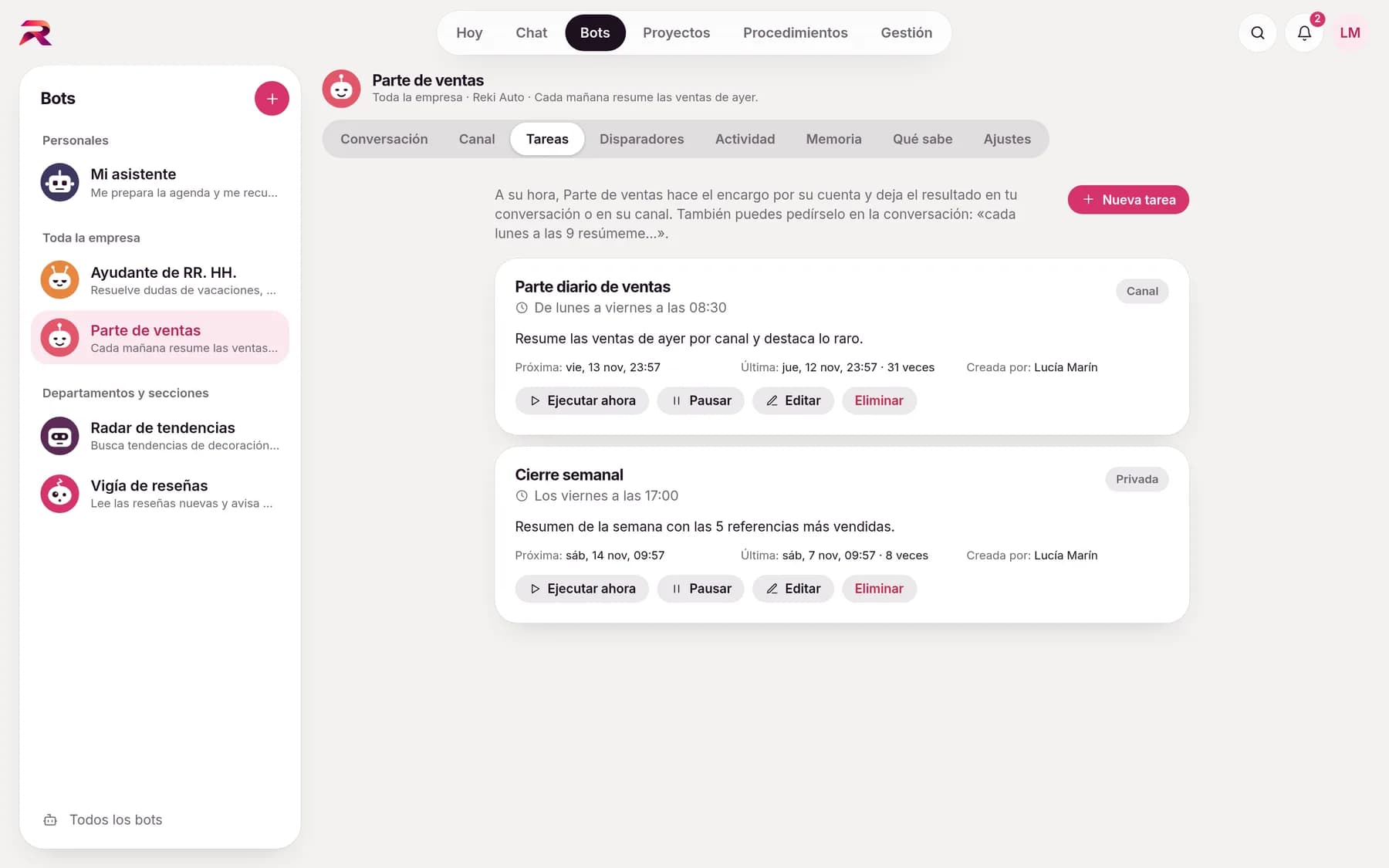
The ones you schedule, such as summarising the week's incidents or checking which emails need a reply. Schedule a task once, on certain weekdays, every month or every few hours, in your time zone. Create it in the Tasks tab or ask the bot in the conversation: “every Monday at 9, summarise the week's incidents”. The bot also suggests useful tasks.
- Run now, pause, edit or delete
- Result in your private conversation or in the channel
- Up to 20 tasks per bot
Every Monday at 9:00, summarise last week's incidents.
Task created: every Monday at 9:00. I'll leave the summary here.
Every weekday at 8:00, check my email and tell me what needs a reply.
Done. I'll start tomorrow at 8:00.
It gets to work when something happens
Besides schedules, a bot gets to work when something happens: an email arrives, you're mentioned in Slack, a meeting starts, a file appears in a folder or a context changes. And when another system notifies it via webhook: a new lead, an order, an incident. The bot reads, summarises and prepares drafts; anything it sends, shares or deletes waits for your approval, because what comes in from outside could have been written by anyone. And if the job is a process with fixed steps, turn it into a procedure: that's how you automate processes with AI the same way every time.
- Gmail
- Outlook
- Slack
- Google Calendar
- Drive
- OneDrive
- SharePoint
- Webhooks
- Zapier
- Make
- n8n
To get started
- Summarise every email from an important client
- Prepare each meeting for me 15 minutes beforehand
- Let me know if someone mentions me in Slack with a request
- Classify the invoices that arrive in this folder
- New emailIn Gmail or Outlook, with filters by sender, domain, subject, label or folder, or only with attachments.
- SlackWhen you're mentioned, in direct messages or across a whole channel, with a keyword if you like.
- CalendarA new or changed event, a few minutes before a meeting or when it ends.
- FilesA new or modified file in a Google Drive, OneDrive or SharePoint folder.
- Test before you trust it“Test with the latest item” shows the result privately and without acting.
- Pauses and resumes on its ownIf the account gets disconnected, the trigger pauses with the reason shown and comes back once it's fixed.
They consult each other and delegate work
- Bot-to-bot questionsThe sales bot can ask the legal bot and use its answer, always between bots you're allowed to use.
- DelegationAsk a “manager” bot to have another one do something: it delegates, the other works on it with you and, when done, reports back.
- No loopsThere's a hop limit between bots so they never reply to each other endlessly.
It tells you when it speaks on its own
- NotificationsPop-up alert on any screen, a bell with unread items, push notifications with the app closed and, if you like, an email with no content.
- Activity and historyWhat each bot has done on its own, how each run ended and its success rate.
- ReliableIf something fails or the server restarts, the bot retries on its own and warns you if it has to pause a task.
- With your approvalWhat it prepares (an email, an invitation) waits in your pending items until you approve it.
Your first bot, in a minute
Start from templates by area (sales, finance, HR, customer service, marketing) and tailor them to your company. As they use their scope's context, they already know your rules.
Your company already has its own standards. Make the AI follow them.
Tell us how your team works and we'll show you rekiam with examples from your day-to-day: your departments, your documents and your policies. The first call is free.
Already a customer? Log in to rekiam