
My day: start knowing what's on your plate
Updated
In short
My day is rekiam's home screen: it brings together on one screen your pending approvals, your Google Calendar or Outlook schedule, unread email from the last 48 hours and messages from your bots. With “Prepare my day” the AI reads all of that and leaves a short briefing with priorities and suggestions, without sending or changing anything.
Prepare my day
Automatic briefing every morning at the time you choose, Monday to Friday
- Needs your attention
- Today's schedule
- Unread email
- Your bots
- Start something
- Pick up where you left off
What's on today, on a single screen
My day shows, links and launches. It isn't another task manager or another inbox: it's the place you start from.
- Needs your attentionYour pending approvals, your team's, the context requests you review and anything that has stalled, so you can sort it out right there.
- Today's scheduleYour meetings with time and place, the button to join the video call and “Prepare this meeting for me”.
- Unread emailSender, subject and time of what's arrived in 48 hours, with Summarise and Reply with AI, which goes out as a draft.
- Your botsWhat your AI agents have written to you on their own and the scheduled tasks running today.
- Start somethingThe new chat box, your most-used procedures and your projects.
- Pick up where you left offShared chats with updates, pinned and recent chats, and procedures in progress.
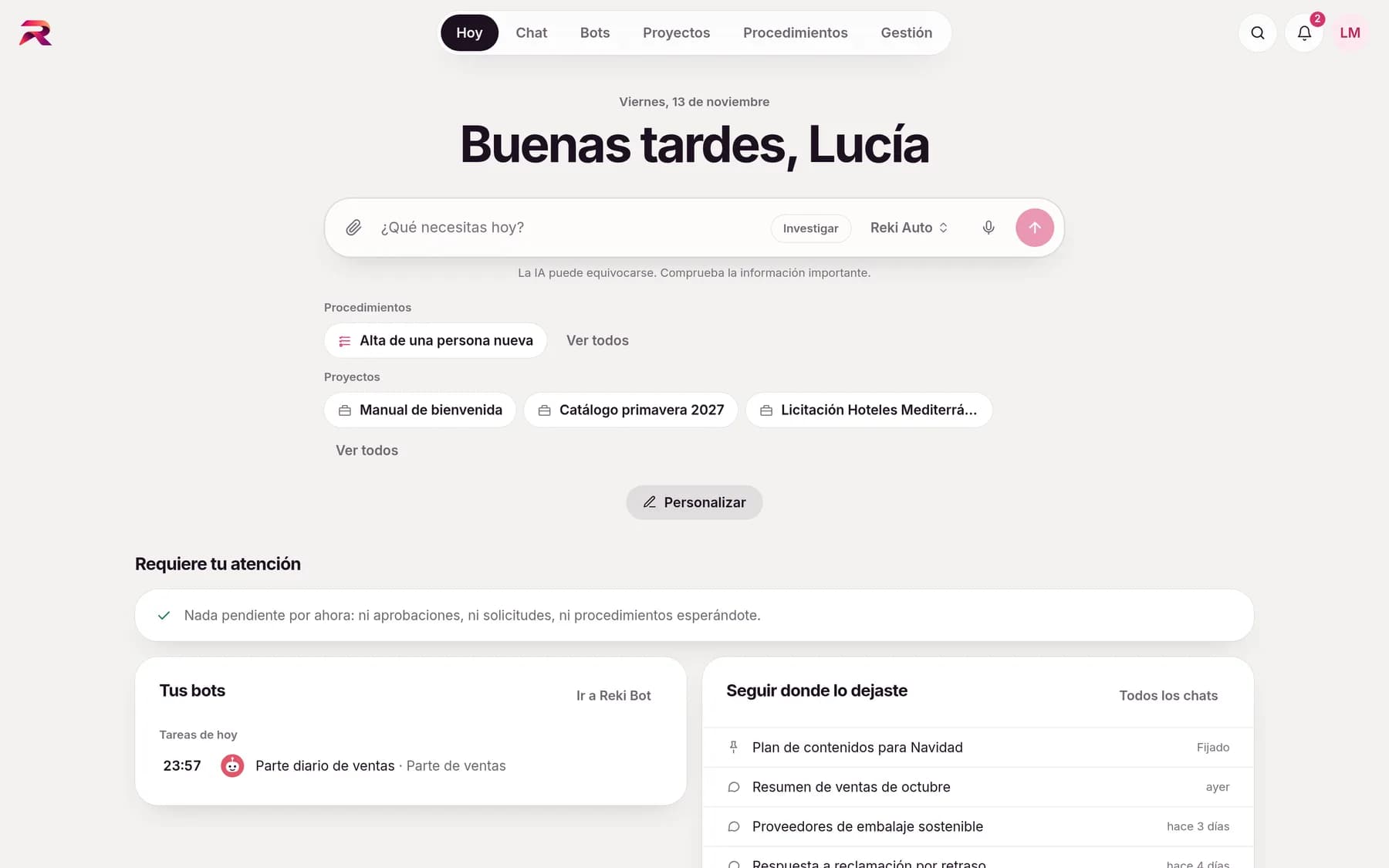
Your morning briefing, already written by the AI
With one click, the AI reads your schedule, your unread email and your pending items, and leaves you a short briefing: priorities, what to prepare for each meeting, which emails are asking for something and suggested actions. Without sending or changing anything. It's a chat of your own in which you can carry on the conversation.
- Automatic briefing every morning at the time you choose, Monday to Friday
- A notification on the bell when it's ready
- Anything the AI wants to write in your apps afterwards waits for your approval
- Customise the blocks and choose where you start when you log in
On your phone, like any other app
rekiam installs on your phone or computer from the browser: its own icon, full screen and shortcuts to New chat, My day and Notifications. For security, the app doesn't store chats or company data on the device.
- Push notificationsYou find out with the app closed: a pending approval, a bot that has written to you, a shared chat. The notification never carries content.
- Do not disturbA window in your time zone (by default, nights and weekends) during which no notifications or emails arrive. Urgent items can get through, if you want.
- Share to rekiamFrom another app on your phone, share a text or a link and a new chat opens with it already typed in.
- Designed for your thumbThe canvas fills the screen with Chat | Canvas tabs, and the buttons on each answer are bigger.
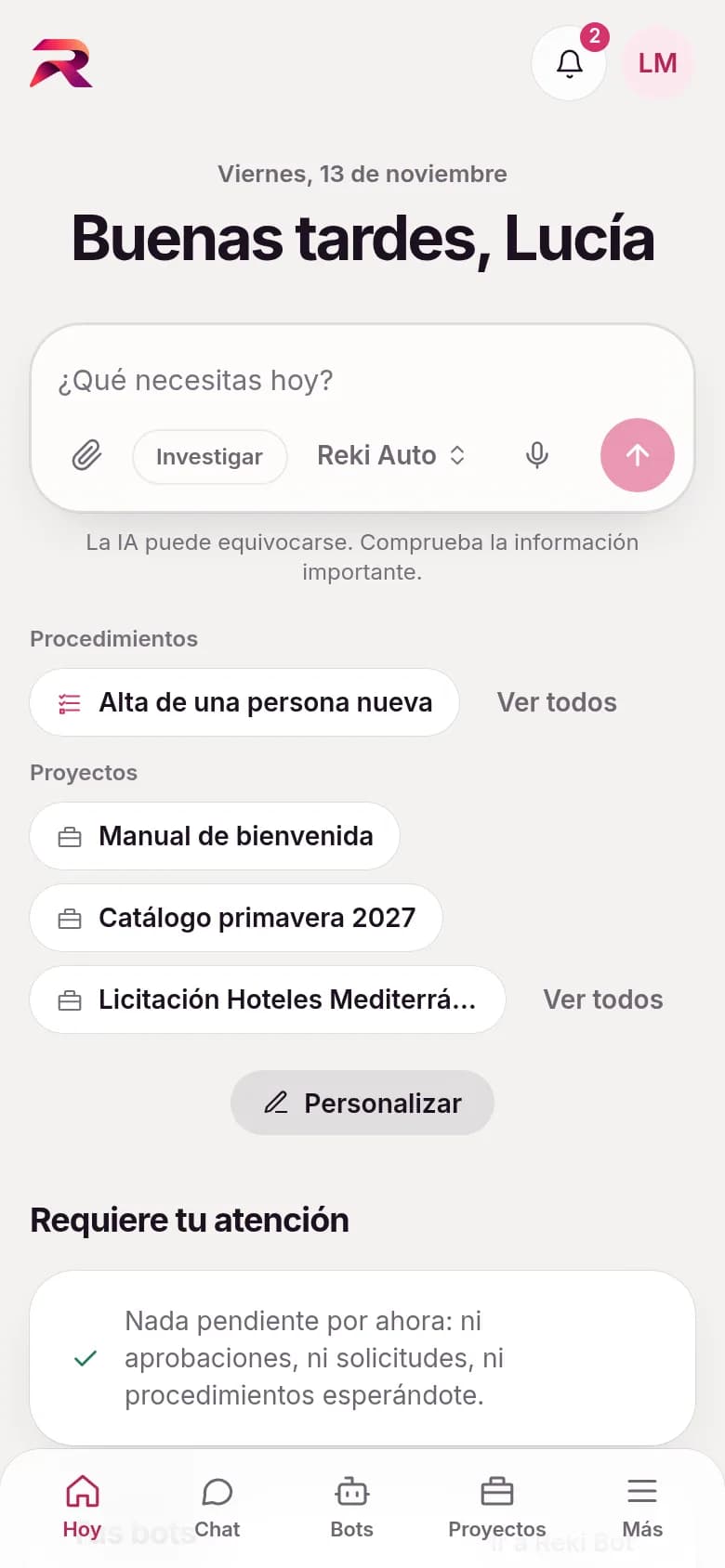
Dictate instead of typing. Listen instead of reading
The microphone in the message box writes what you say live, in the chat, in bots and in My day. It never sends on its own: you review and send. And any answer can be read aloud.
- It uses the browser's own speech recognition: rekiam doesn't receive or store the audio
- The first time, it explains how it works before you start
- The organisation can turn dictation off in its policies
One place to keep up with everything
The bell brings together what your bots write, the requests awaiting your review, the chats shared with you and limit alerts. For each type of notification, each person chooses whether it also arrives by email straight away, in a daily digest or never.
- Emails and push notifications carry no content from chats or documents
- A daily digest in the morning with whatever you haven't read
- Delegation of approvals when you go on holiday
Frequently asked questions about My day and the app
Does rekiam have a mobile app?
rekiam is an installable web application: you add it to your phone's home screen or your computer's desktop from the browser and it runs full screen, with its own icon, push notifications and voice dictation. There's no need to download it from an app store.
Can the AI summarise my email and calendar every morning?
Yes. With “Prepare my day” the AI reads your Google Calendar or Outlook schedule, your unread email and your pending items through its AI integrations, and leaves you a briefing with priorities. You can ask it to prepare it on its own every morning at the time you choose.
Does the AI send anything for me when it prepares my day?
No. The briefing is prepared without sending or changing anything. If you then ask it to reply to an email or create a meeting, that stays as a draft until you approve it.
Does rekiam store the audio when I dictate?
No. Dictation uses the browser's own speech recognition, so rekiam doesn't receive or store the audio; only the text that you review and send.
Do push notifications show the content of my chats?
No. A notification only says what has happened, for example “You have a pending approval”. It never includes text from chats, emails or documents.
Your company already has its own standards. Make the AI follow them.
Tell us how your team works and we'll show you rekiam with examples from your day-to-day: your departments, your documents and your policies. The first call is free.
Already a customer? Log in to rekiam