
AI ROI and adoption: what it costs, who uses it and how much it saves
Updated
In short
rekiam measures a company's AI on three fronts: spending (spend in euros, end-of-month forecast and monthly limits per organisation, department, bot and person), adoption (active people, what it's used for and who isn't using it yet) and time saved, always presented as an estimate with its formula in view and its return compared with spending.
Limits at four levels
- Organisation
- Department
- Reki Bot
- Person
- Alerts before you get there
- 80% · 100%Alerts before you get there
- It only stops where it should
- It only stops where it should
How do you control employees' AI spending?
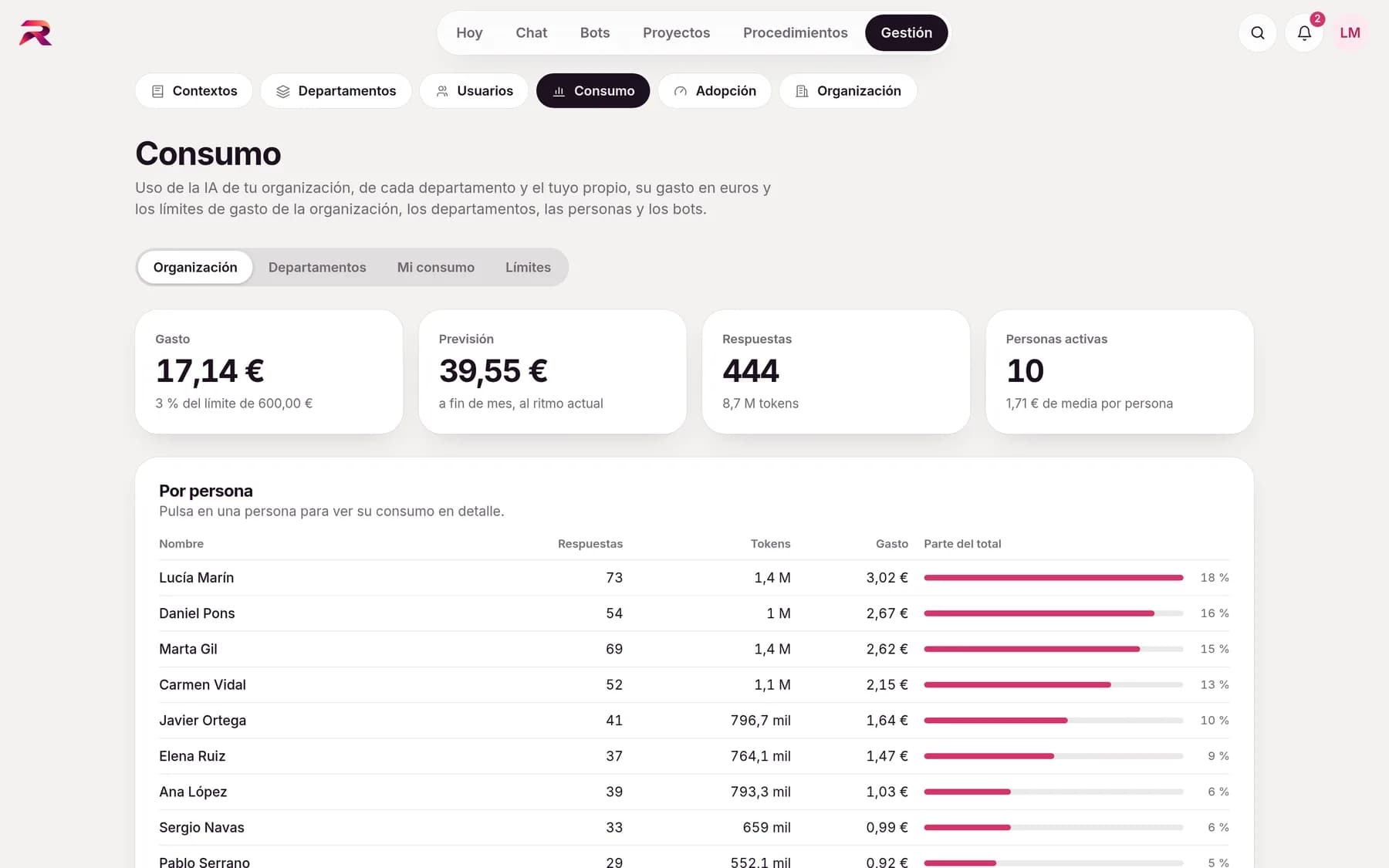
You see it in euros and set monthly limits for the organisation, each department, each shared bot and each person. Administrators see the month's spend, the end-of-month forecast and the breakdown by person, department, bot and AI model, with charts of when it's used. Each person sees their own usage and each lead, their department's.
- Limits at four levelsA monthly limit for the whole organisation, for each department, for each shared bot and for each person.
- It only stops where it shouldWhen a department's or a bot's limit is reached, the AI stops answering only there. Everything else keeps working.
- Alerts before you get thereAn alert at 80% and at 100% of each limit to whoever it concerns, and a discreet banner in the chat.
- Estimated costDocument batches show their cost before launching and don't start if they don't fit within the limit.
See which teams use it and where they need help
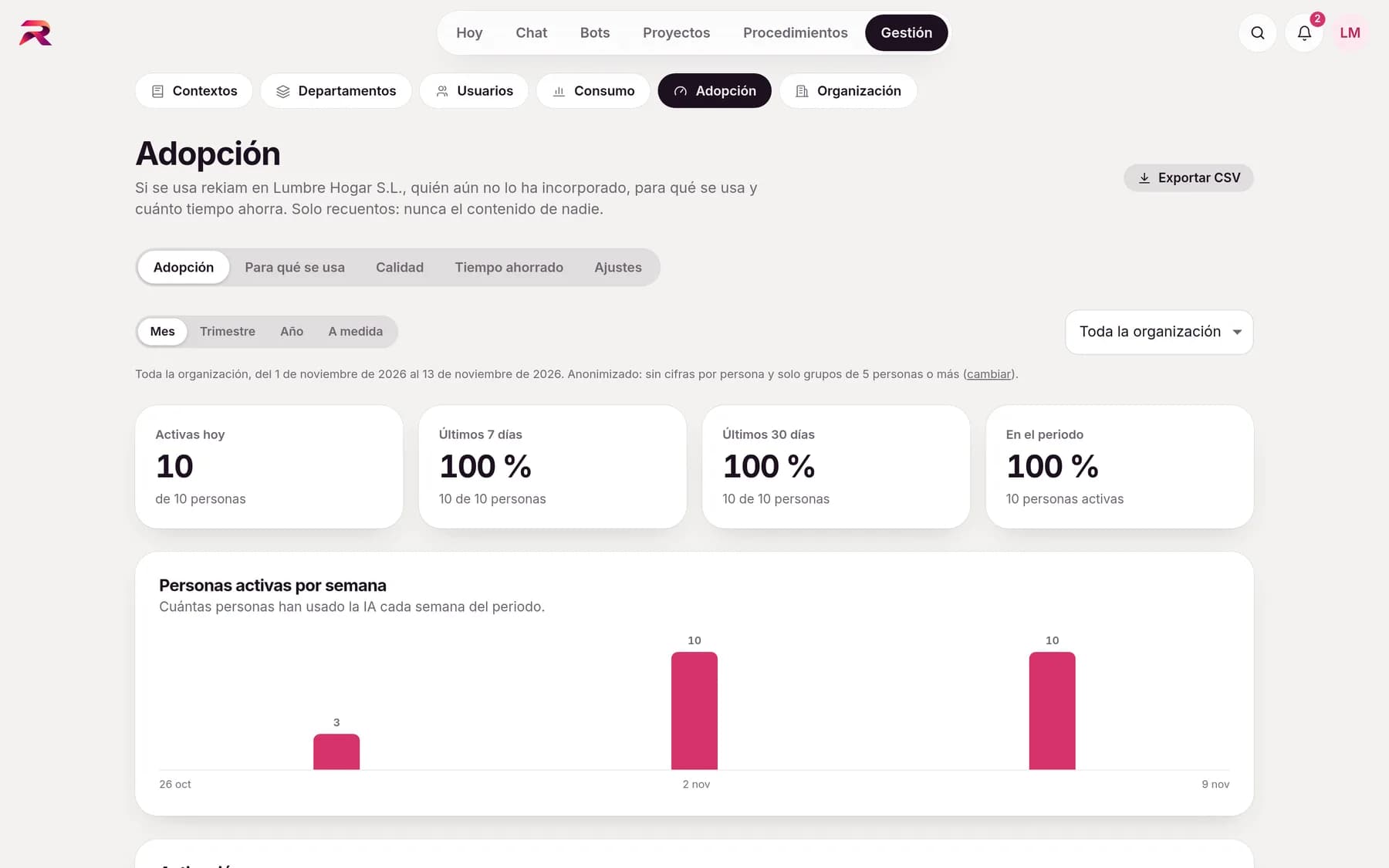
Adoption answers the questions management asks after a rollout: whether it's being used, in which teams, what for and where help is needed. With counts, never with content.
- Active peopleToday, over 7 and 30 days, by week and by department.
- Activation funnelInvited, have logged in, have used the AI, have connected apps and have launched procedures.
- What it's used forChat, generated documents, apps, bots, procedures and research, with the most-used procedures and bots.
- QualityAnswers rated positively by space, procedures completed and actions approved.
- Not using it yetWho hasn't used it in 30 days, with “Send ideas” to help them take the first step.
- My activityEach person sees their own: answers, days of use and their estimated time saved.
An honest estimate, with the formula in view
rekiam multiplies each activity by the minutes it takes to do by hand, converts that into hours and into euros based on the hourly cost, and compares it with AI spending over the same period to give the return. It's always labelled as an Estimate, with “How it's calculated” alongside, and administrators adjust the values.
- Editable minutes per activity: answer, document, email, procedure, bot task or research
- Configurable hourly cost, with exceptions by department
- Each procedure states how long it takes to do by hand: it's the most reliable figure
- Calibration: from time to time the person is asked how much time it has saved them
- It's never presented as a measured figure
Measuring without monitoring
Designed with works councils and the GDPR in mind: the content of a chat is never shown and, by default, the organisation is anonymised.
- No per-person figures or list of who isn't using it, unless the organisation turns that on
- Groups of fewer than 5 people aren't shown or are merged
- Personal bots and procedures always grouped together
- CSV export of what's on screen, and changes recorded in the activity log
Frequently asked questions about cost and adoption
How do you measure the return on AI in a company?
rekiam estimates it by comparing the value of the time saved with AI spending over the same period. Time saved comes from multiplying each activity (answers, generated documents, emails, completed procedures) by the minutes it takes to do by hand, and it's always presented as an estimate with its formula in view.
Can I set an AI spending limit per department?
Yes. There are monthly limits in euros for the whole organisation, for each department, for each shared bot and for each person. When a department's limit is reached, the AI stops answering only in that department until the following month.
Can administrators see what each employee writes?
No. Chats are private and the adoption and spending dashboards work with counts, never with content. In addition, adoption is anonymised by default: no per-person figures and no groups of fewer than five people shown.
How do I know whether my team is using AI?
The Adoption dashboard shows active people by day, week and month, adoption by department, which features it's used for and how many people haven't used it yet, with an action to send them ideas. If a team falls behind, hands-on training is part of our AI consulting for businesses.
Does rekiam warn you before you reach the spending limit?
Yes. When spending passes 80% and when it reaches 100% of a limit, whoever it concerns is notified once: the person, the department leads or the administrators.
Your company already has its own standards. Make the AI follow them.
Tell us how your team works and we'll show you rekiam with examples from your day-to-day: your departments, your documents and your policies. The first call is free.
Already a customer? Log in to rekiam